


Conversation AI & Chatbots
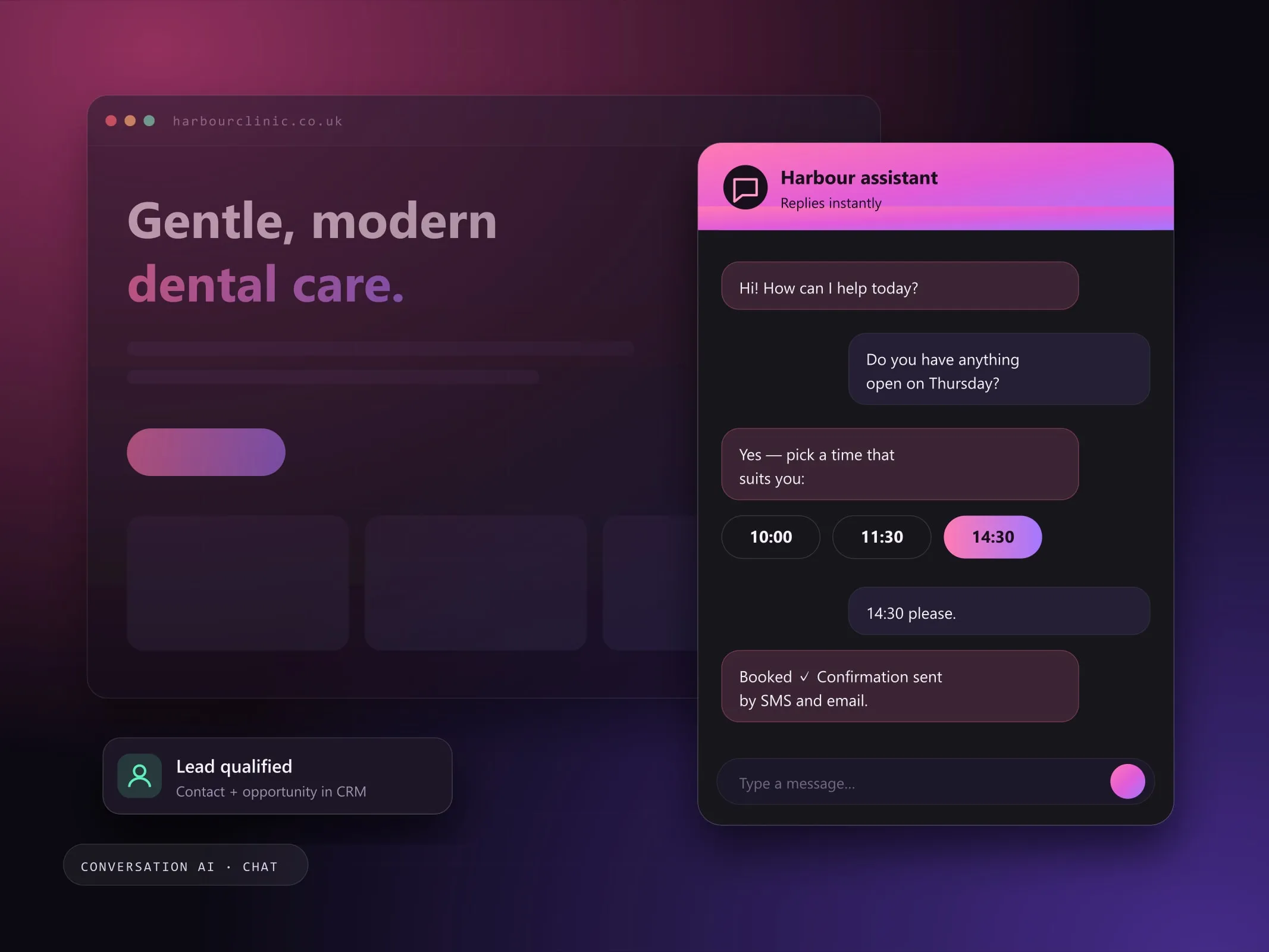
Website chat and messaging assistants that answer questions, qualify leads and help visitors book, connected to your CRM.
- Fixed price, agreed scope
- Reply within 2 working days
- One point of contact

- GoHighLevel Conversation AI
- Website chat widget
- SMS
- Facebook & Instagram messaging
- CRM
Sound familiar?
These are the issues I see most often before a Conversation AI project starts. Each one quietly costs enquiries, time or trust, and most businesses have more than one.
Usually a good fit if you're
- Businesses that answer the same questions repeatedly
- Websites with traffic but few enquiries
- Teams that want chat, SMS and social messages in one inbox
- 01
Visitors leave because nobody answers their question.
- 02
The same pricing and availability questions, every day.
- 03
Chats happen but never reach the CRM.
- 04
Interested visitors do not know the next step.
How I solve it with Conversation AI.
Visitors ask the same questions every day: price ranges, availability, location, what is included. A conversation AI assistant answers them instantly on your website and messaging channels, and moves interested visitors toward booking.
I configure assistants that use your real business information, ask the right qualifying questions, and pass conversations into your CRM so nothing is lost.
- 01
Problem: Visitors leave because nobody answers their question.
Solution: Instant answers on the website, around the clock.
- 02
Problem: The same pricing and availability questions, every day.
Solution: A knowledge base written from your real FAQs and policies.
- 03
Problem: Chats happen but never reach the CRM.
Solution: Each conversation is saved to the contact record with tags for follow-up.
- 04
Problem: Interested visitors do not know the next step.
Solution: The assistant offers booking times once the question is answered.
Everything in a Conversation AI build.
Scope is agreed in writing first. You pick what you need and only pay for that.
Plan my project- Website chat assistants
- Conversation AI configuration
- Lead qualification
- FAQ automation
- Appointment booking assistance
- CRM-connected conversations
- Follow-up workflows
- Conversation flow optimization
4 clear steps, no surprises.
- 01
Gather answers
Your FAQs, policies and services written into a knowledge base.
- 02
Design the flow
When to answer, when to qualify, when to offer a booking, when to hand over.
- 03
Connect
Chat widget, CRM contact records, tags and follow-up workflows.
- 04
Review transcripts
Read real conversations and improve answers where visitors got stuck.
Pick the engagement that fits.
Each option is quoted at a fixed price for the agreed scope, with no hourly surprises.
Website assistant
A chat assistant on your site that answers and books.
Discuss this optionTuning and support
Regular transcript reviews and knowledge base updates.
Discuss this optionWhat you get at handover
- Configured assistant and knowledge base
- Conversation flow with qualifying questions
- Booking hand-off to your calendar
- CRM tagging and follow-up workflow
- Transcript review checklist for your team
Good to know
- Features depend on the platform (for example GoHighLevel Conversation AI) and plan.
- AI answers can be wrong when information is missing; the knowledge base needs to stay current.
Conversation AI questions, answered.
Can't see yours? I'm happy to answer anything before you commit.
Ask a question Which channels can the assistant work on?
Typically website chat, plus SMS and social messaging channels supported by your platform.
Can it book appointments?
Yes, when connected to a calendar the platform supports, it can offer times and book directly.
Will the assistant make things up?
It is set up to answer from information you approve, to say when it does not know, and to hand over to a person for anything outside its scope. Transcripts are reviewed after launch.
Can it hand a conversation to my team?
Yes. Conversations can be assigned to a team member, who sees the full history in the CRM inbox.